
The booking page that's already in your CRM
Groundbase has booking links built in. Confirmations, reminders by email and text, Yes/No/Maybe buttons, reschedule and cancel links, booking a client in yourself, and two-way Google Calendar sync, with every booking landing on the contact. Here is what it does, and how it lines up against Calendly's plans.
Groundbase has a booking page built in. Someone picks a time, and they arrive in your CRM as a contact with a meeting attached, a confirmation in their inbox, and reminders already scheduled by email and text.
I build Groundbase for businesses of one person. The booking page is in the one plan, like everything else, and it does more than hand out a slot: it knows who booked, and the rest of the CRM can act on it. This post is what it does, then how it lines up against Calendly, which is what most people would use instead.
What happens when someone books
A bookkeeper puts her booking link in her email signature. A new client books a 45-minute discovery call for Thursday at 2pm. By the time she next looks at her phone:
- The client is a contact. If they're already in her CRM, the booking is matched to them. If not, they're created.
- The meeting is on her Calendar, linked to that contact, with their answers to her booking questions in the description.
- It's on her Google Calendar, because meetings sync there like everything else.
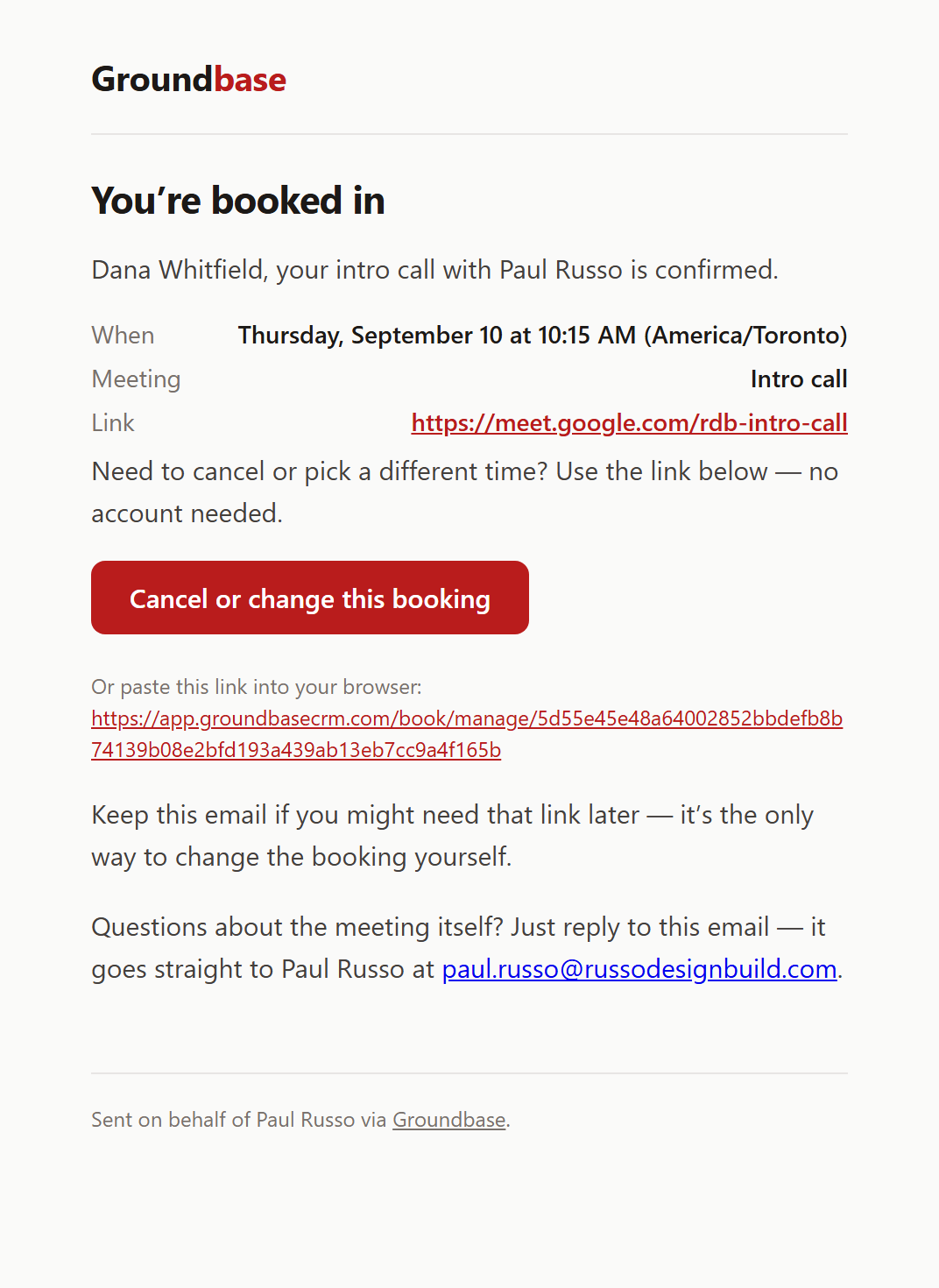
- The client has a confirmation by email, and by text if they gave a mobile number. Both carry a link to move or cancel.
- She has an email saying who booked and when, with a link straight to the meeting.
- Reminders are scheduled for the times she chose.
- Any workflow she set up has started. Tag them
new-client, create a prep task, send a welcome email.
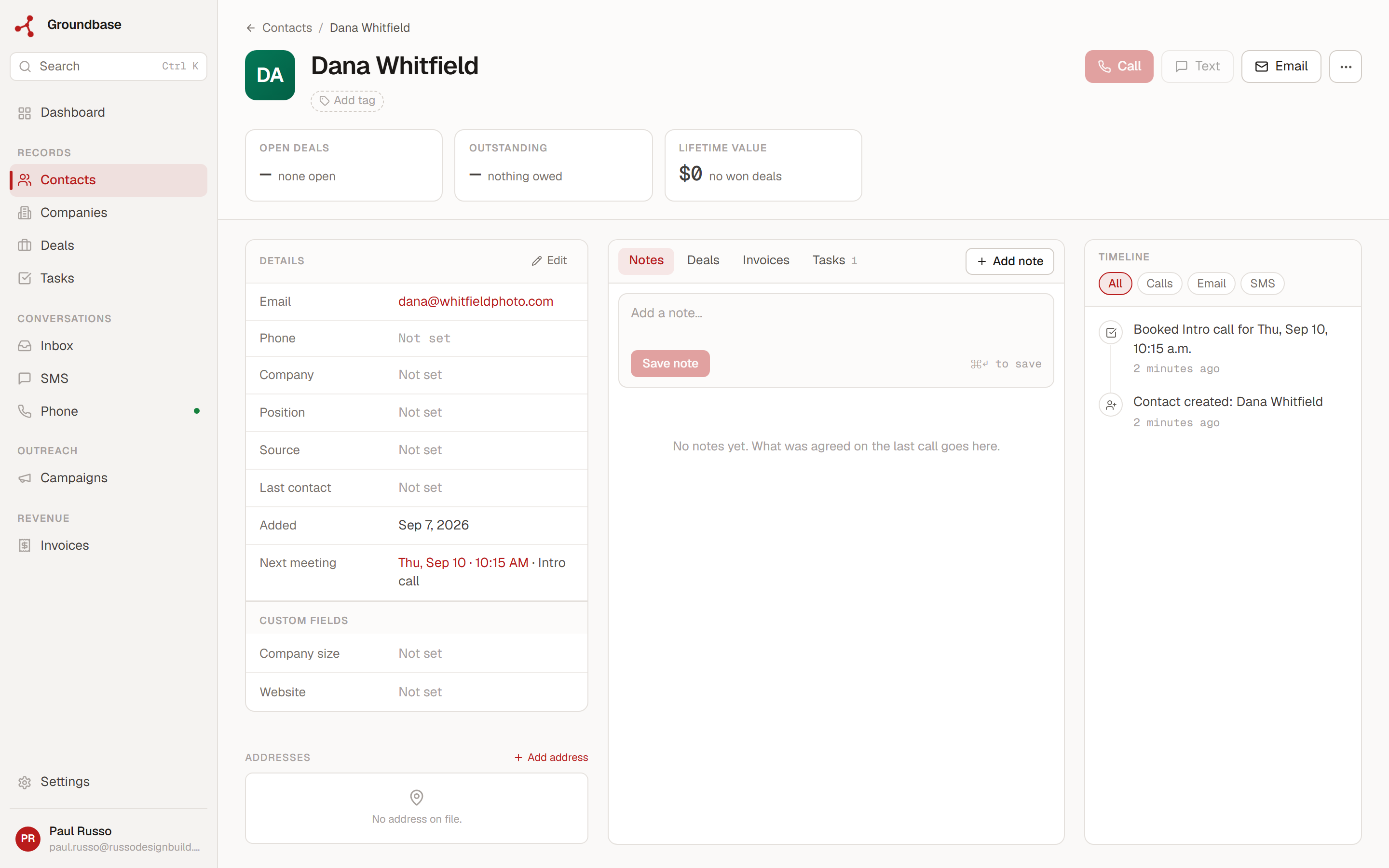
Nothing to copy across, and no second tool to check. When she opens that client next month, the booking is in their history next to every text, email and invoice.
Setting up a meeting type
A meeting type is one bookable link: a 15-minute intro call, a 45-minute discovery call, a 2-hour site visit. You can have as many as you like, each with its own rules. They live under Bookings in the sidebar.
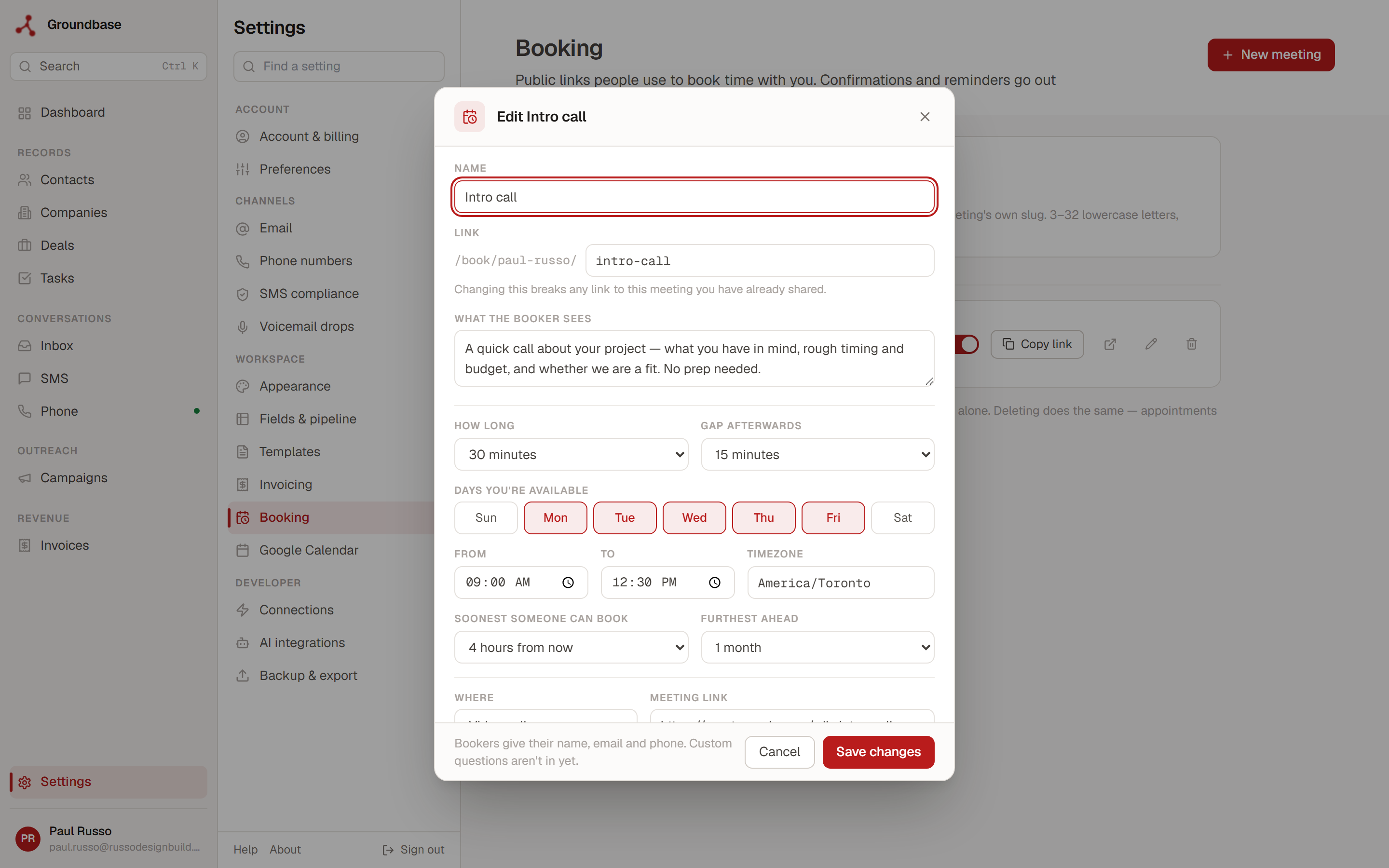
| Setting | What it does |
|---|---|
| Duration | 15 minutes to 2 hours from the list, or a custom length from 5 minutes to 8 hours |
| Buffer | A gap kept clear between meetings |
| Available days and hours | Which days, the time window and the timezone |
| Days off and one-off hours | Mark a date unavailable, or give it different hours. That works on a day you're normally off, so you can open one Saturday without opening them all |
| Minimum notice | Stops someone booking you for ten minutes from now |
| Max advance | How far ahead people can book |
| Location | Video call, phone, in person or other, with the link, number or address |
| Reminders | None, 1 hour, 24 hours, 24 hours and 1 hour, or 2 days, 24 hours and 1 hour before |
| Questions for the booker | Up to 10: short answer, paragraph, email or phone number, each optional or required |
Each meeting type gets its own public address, built from your booking name and the meeting's: app.groundbasecrm.com/book/your-name/discovery-call. There's no login for the person booking and nothing to install. A Copy button on each row puts the link on your clipboard for your email signature, your website or a text.
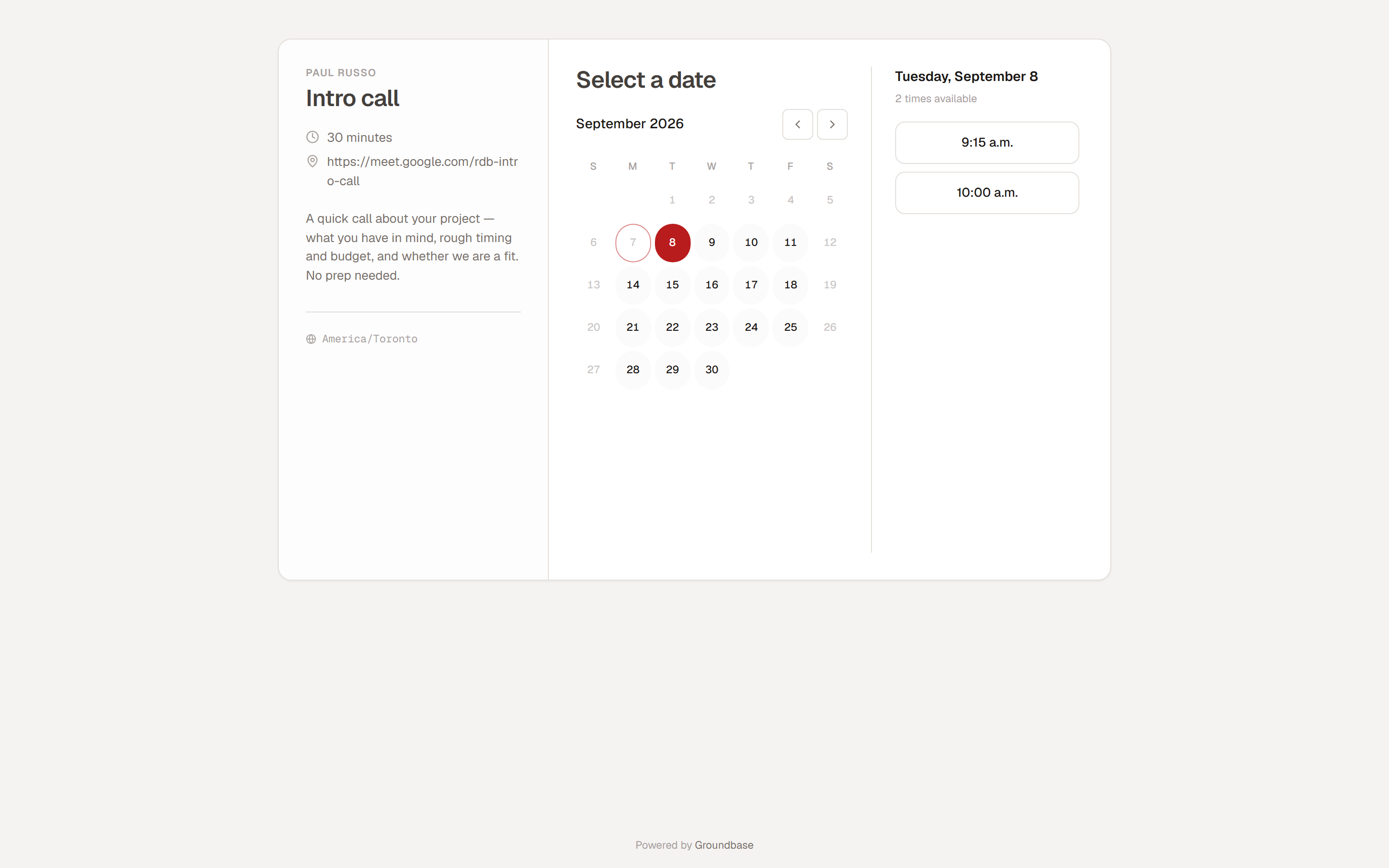
The person booking picks a time, then gives their name, email and phone and answers any questions you added. A required question left blank stops the booking going through, so you never get a booking without the one thing you needed to know.
Reminders by email and text
Reminders go by email to everyone who books. If the person gave a mobile number and you have a number to text from, they go by text as well. Pick 24 hours and 1 hour and they get a text the day before and another an hour before, on top of the confirmation.
The confirmation and the reminders always come from the same place, which you choose under Booking emails come from: your own connected mailbox, your Resend account, or Groundbase's address. On Groundbase's address the email arrives as "Your Name via Groundbase", and replies go to you.
Texts go through your own Twilio account, which you pay separately. That's about a US$20 first top-up, a number for about US$1.15 a month, and roughly 1 to 2 US cents a text. Groundbase takes no cut. What texting actually costs has the detail, and if you text US numbers, there's a carrier registration to do first, walked through here. Without Twilio, everything still works by email.
Yes, No or Maybe
The confirmation and reminder emails ask Are you going to attend this meeting?, with Yes, No and Maybe buttons.
- Yes offers to add the meeting to their Google, Outlook or Apple calendar.
- No emails you straight away and stops their reminders. For a booking-page meeting, it also offers them a different time.
- Maybe emails you and keeps the reminders going, and the next one asks again.
Their answer shows as Attending on the meeting. So the morning of a meeting, you know whether to expect them, and a "No" turns up while there's still time to fill the slot.
A button opens a short page with the answer picked, and it's saved when they press Confirm. That extra step is deliberate. Email security tools at many companies open every link in an email to check it, and if one click saved the answer, those tools would be answering for people who never pressed anything.
Moving and cancelling without emailing you
Every confirmation carries a manage link. It opens a page where the person can Pick a different time or Cancel booking, without writing to you.
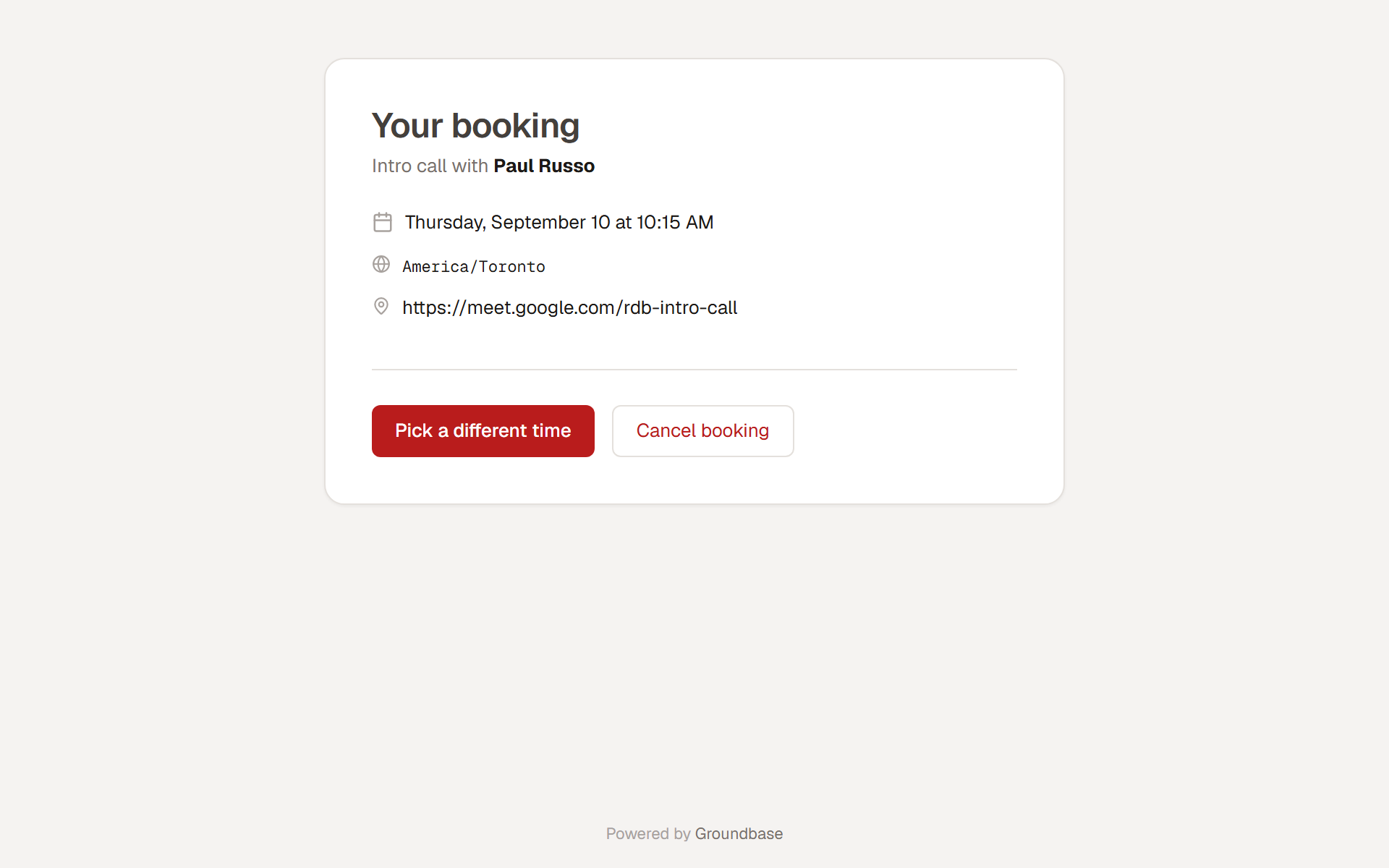
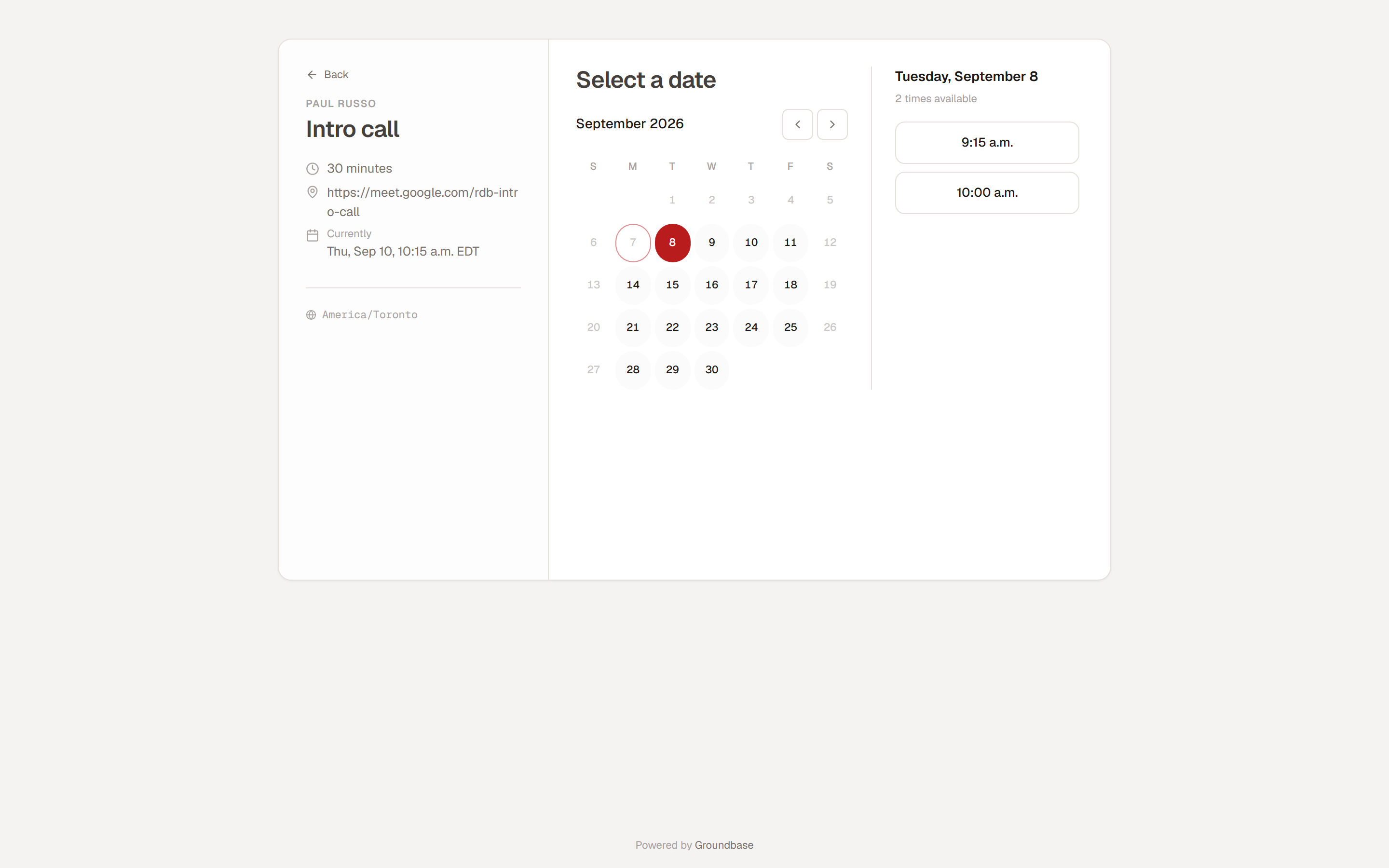
Moving shows the same picker as your booking page, with their current time freed up. The meeting moves on your Calendar and in Google Calendar, the old reminders are cancelled, new ones are scheduled, and they get a fresh confirmation. Cancelling frees the time, removes the meeting from your Calendar and your Google Calendar, stops the reminders and writes a Booking cancelled line on the contact. You get an email either way.
Booking someone in yourself
Not every booking starts on your page. A client rings and asks for next Tuesday at 7pm, after your hours. Book for someone, on each meeting type in Bookings, books them in yourself: pick the date and time, search your contacts or add someone new, and press Book it.
It works at any time you choose, outside your hours and inside your minimum notice, because you're the one deciding. If the time overlaps something already on your calendar, Groundbase shows you what it clashes with and asks before it books anyway. The client gets the same confirmation, reminders and manage link as if they'd booked it themselves.
Your calendar, both ways
Connect Google Calendar and it syncs in both directions. Meetings booked in Groundbase appear in Google. Events you add in Google, like the dentist or a call someone else invited you to, come into Groundbase within a minute or two. Move a meeting in either place and the other follows.
The booking page checks your Google Calendar when it works out which times to offer, so nobody can book over something that's only in Google.
Bookings start workflows
A booking fires an event, and so do reschedules and cancellations: meeting.booked, meeting.rescheduled and meeting.cancelled. A workflow can start on any of them and act on the person who booked. Tag them booked-call, create a prep task for the day before, send a welcome email.
It also works the other way. A follow-up workflow that's waiting a few days before its next text can stop if the person books in the meantime, so nobody gets "just checking in" after they've already put a time in your calendar. The workflows guide shows how that's set up.
Groundbase and Calendly, plan by plan
Calendly is a good scheduler, and it's the one most people compare against. Prices and plans checked October 2026 on Calendly's pricing page, in US dollars.
| You want | Calendly | Groundbase |
|---|---|---|
| One booking link | Free: one event type, one calendar connection | Included |
| Several meeting types | Standard: unlimited event types | Included, no cap |
| Automated reminders | Standard and up. Free has none | Included, by email and text |
| Text reminders | On paid plans, not during the trial, sent from a number Calendly assigns (Calendly help) | Included; sent from your own number through your own Twilio |
| Payments at booking | Standard: Stripe and PayPal | Not available |
| Round robin and lead routing | Teams | Not available; Groundbase is one person |
| The booking on a contact, next to their texts, emails, deals and invoices | Through a CRM integration: HubSpot on Standard, Salesforce on Teams | It is the CRM |
| Workflows started by a booking | Calendly's own automations, plus Zapier and webhooks on Standard | Included |
Calendly lists Standard at $10 a seat a month and Teams at $16 a seat a month, both on annual billing.
The difference is in the last two rows. Calendly is a scheduler that connects to your CRM. In Groundbase, the booking page is part of the CRM, in the same plan as your texting, invoicing, documents and workflows. There's no tier to move up to for reminders, more meeting types or automation.
Where Calendly is the better choice
- One link, nothing else. If all you need is a single booking link, Calendly Free costs nothing, and Groundbase isn't going to beat that.
- Taking payment at booking. Calendly Standard collects payment through Stripe or PayPal when someone books. Groundbase's booking page doesn't. You'd send an invoice or a quote with a deposit instead.
- Several calendars. Calendly Standard connects up to six. Groundbase syncs with your primary Google Calendar, and only Google.
- A team. Round robin, routing forms and shared availability are on Calendly Teams. Groundbase has one user per account.
- Text reminders without any setup. Calendly sends its own texts on its paid plans. Groundbase's text reminders need your own Twilio account, and for US numbers, a carrier registration that takes days.
What it costs
Groundbase is $19 a month or $199 a year, with every feature in it: the booking page, the CRM it lands in, texting and calling, invoicing, documents and e-signatures, campaigns, workflows, and your AI assistant connected. The texts themselves are paid to Twilio, as above.
The decision
Pick Calendly if a booking link is all you need, if you want to take payment as people book, if you have a team, or if your calendar isn't Google.
Pick Groundbase if you're one person and want the booking, the contact, the reminders and what happens next in one place, without connecting a scheduler to a CRM or working out which tier holds which feature.
There's a 14-day free trial. The card goes in up front and isn't charged until day 15. The full reference is in the help under Booking links, and who Groundbase is and isn't for is worth reading first if you're not sure.
Questions about this one? Email me directly: blog-booking@groundbasecrm.com — I read every one.
Built by a solo dev. Try it.
Start your 14-day trial →More from the Pipeline
Quotes with a deposit: price the job before you invoice it
A quote in Groundbase is a priced offer the customer accepts online, optionally by paying a deposit through…
How to leave Groundbase
Everything you put into Groundbase comes out with one button, at any time, including after you stop paying.…
Free offline CRMs for Windows (2026): what's out there and what each one needs
Most "free CRMs" are a website with a free plan, a user limit and a contact cap. If you want one that runs …
Bill your hours without retyping them
Track time with a timer or log it after the fact, let the hourly rate remember itself, and put the unbilled…