
Calling and texting from inside your CRM
Groundbase calls and texts from the contact record on web, Windows and Android, with recording, voicemail you can read, voicemail drops, and every call on the contact's timeline. It runs on your own Twilio account, and here is exactly what Twilio charges for it.
Groundbase makes phone calls and sends texts from the contact record, on the web, the Windows desktop app and the Android app. Every call, voicemail and text ends up on the contact it belongs to, without you logging anything.
Most CRMs log calls. You dial from your cell, hang up, find the contact, and type up what happened, if you remember to. I built the phone into Groundbase so the CRM is where the call happens, not where you file it afterwards. It's in the one plan, and the calls and texts themselves run through your own Twilio account. The costs are further down, in actual numbers.
What that looks like on a working day
A roofer misses a call while he's up a ladder. By the time he's down, the voicemail has been transcribed and filed against the homeowner who asked for a quote last week. He reads it on his Android phone, taps the number, and calls back from the same screen. When he hangs up, he texts her the time he'll come round to measure, from the same thread she'll reply to.
That evening, at his desk, all of it is on her record in the Windows app: the missed call, the voicemail and its transcript, the call back, the texts, next to the open deal and the quote.
Calling from the record
Press Call on a contact, on a contact row, or on any call in your history, or open Phone → New call and type a number or a name. The box searches your contacts as you type.
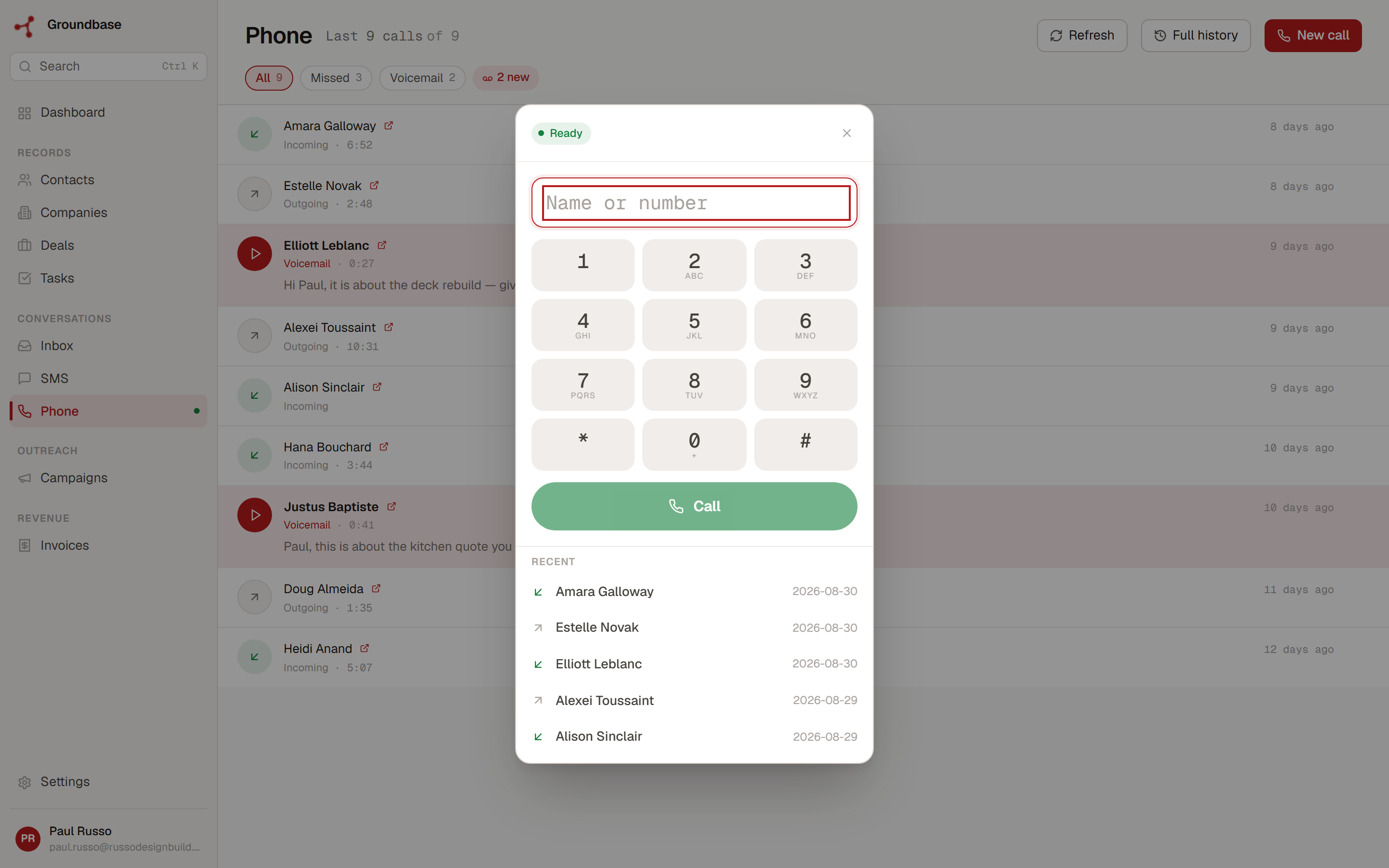
Calls go out from your own number. While you're on one, you can:
- Mute, and open the Keypad for phone menus and extensions.
- Hold. The other person hears music, and Resume brings them back.
- Transfer them to another number, with your number as the caller ID.
- Drop a voicemail you recorded earlier, and hang up while it plays. More on that below.
Hold and transfer are on the web app now, and come to the desktop app with its next build. A small pill shows whether the call is being recorded, and an indicator warns you when the connection is struggling. There's no softphone to install and no desk phone to set up.
When someone calls you
An incoming call opens a full-screen panel on whatever page you're on, with the caller's name if they're a contact, their company, and their open deals. You know who it is and what you're in the middle of with them before you answer.
The desktop and Android apps ring too, and the Android app rings even when it's closed. If you have more than one open, the one you used most recently rings. If nobody answers within 30 seconds, the call forwards to a number you set, your cell for instance, or goes to voicemail.
Texting from the same place
Open a contact and press the SMS icon, or go to the SMS tab. Texts are two-way threads, so replies land in the same conversation, against the same contact.
- Scheduled texts. Pick a date and time before you send. The text waits in SMS → Scheduled, where you can cancel it.
- Texts to a list. Filter your contacts, then Actions → Send SMS. Each person gets their own text, with their first name in it if you like. Over 100 recipients, Groundbase shows the count and an estimate of the Twilio cost, and asks you to confirm again.
- Opt-outs handled for you. When someone replies STOP, they can't be texted again until they reply START. HELP gets an automatic reply with your business name and how to opt out. You can also add "Reply STOP to opt out" to your texts automatically.
- A live segment count in the compose bar, so you know how many parts a long text will be billed as.
- Pictures people text you show in the conversation on the web app.
Voicemail you can read
Calls you don't answer go to voicemail, and each one is transcribed. Skimming six voicemails takes the time it takes to listen to two.
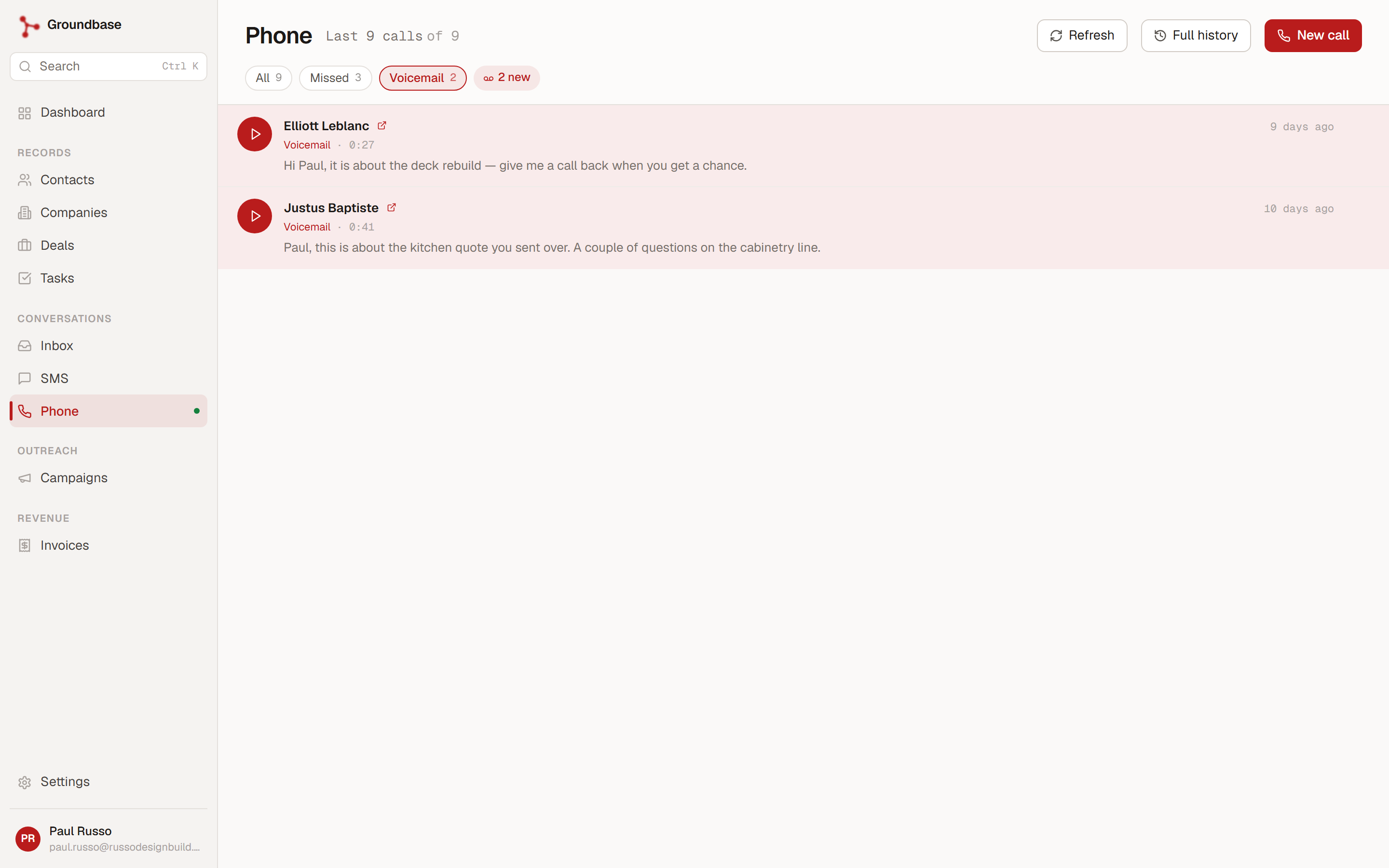
Groundbase pays for voicemail transcription, for about 300 voicemails per account each month. After that, voicemails are still kept and playable, and the transcripts start again the next month.
Each of your numbers has its own greeting. Type one and it's read aloud, record your own voice by phone (Groundbase calls you), or upload a file.
Recording, and telling people
Call recording is off by default. Turn it on in Settings → Preferences → Calls & voicemail, and every call is recorded and attached to the contact. Transcribe recordings, just underneath, turns each recording into searchable text.
When you switch it on, Groundbase shows you a notice first, and it says this:
Groundbase does not play an automatic announcement — you must disclose recording yourself.
That's deliberate. Many places require the other person to know they're being recorded, and Groundbase won't tell them for you. So if you record, say so at the start of the call. I'd rather the product told you that at the moment you flip the switch.
Voicemail drops
If you're calling through a list, you'll leave the same voicemail twenty times, and by the tenth you sound like it. A voicemail drop is that message recorded once, in Settings → Voicemail drops: Groundbase calls your phone and you record it, or you upload an audio file.
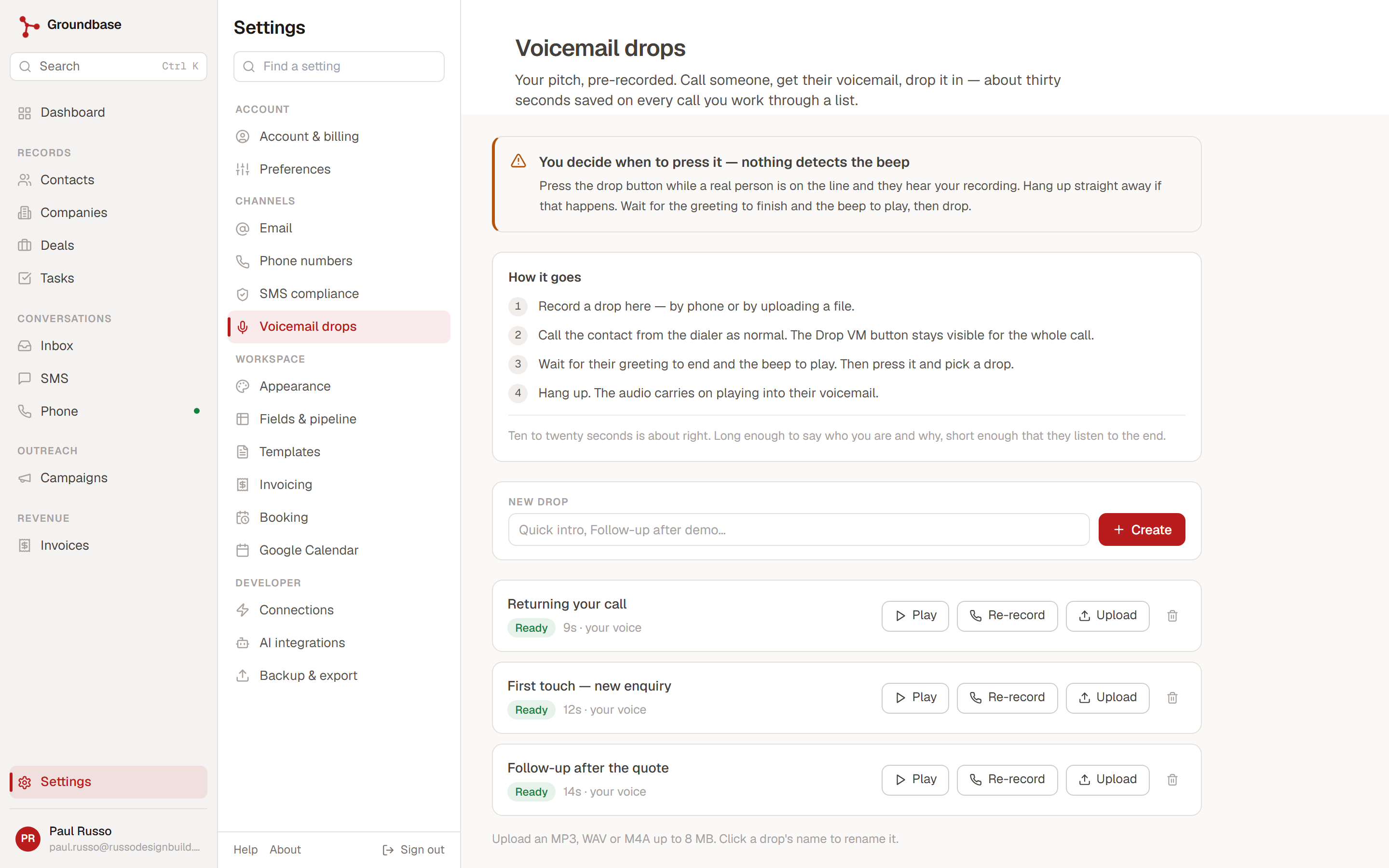
Call the contact as normal. The Drop VM button stays on screen for the whole call. When you hear their greeting end and the beep, press it, pick a recording, and hang up. Your recording plays into their voicemail while you're already dialling the next person.
You choose the moment. The button doesn't listen for the beep for you, so if you press it while a real person is talking, they'll hear your recording. That's the trade: a few seconds of your attention per call, and you're the one who knows whether a person or a machine picked up.
Every call on the contact
The Phone page lists every call, newest first, with All, Missed and Voicemail filters and a badge for new voicemails. Full history opens a searchable list with a date range and a Recording column, where you can play a recording or voicemail and read its transcript.
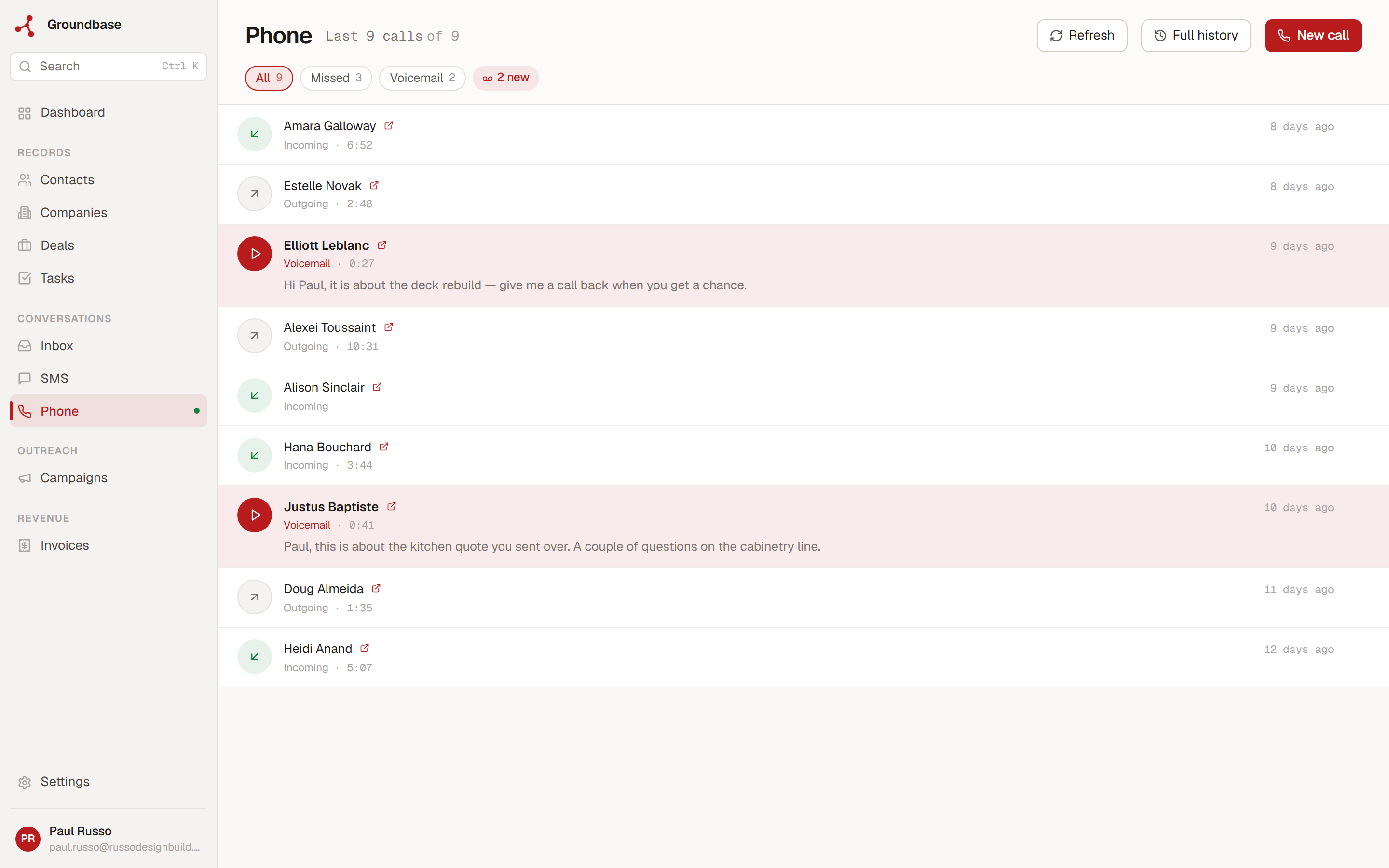
The same calls are on each contact's Timeline, filtered by Calls, with the play button and the transcript. So when a client rings back in March about something you discussed in January, the call is on their record, next to the emails, the texts and the invoice.
On web, Windows and Android
The dialer, the call history, voicemail and texting are in all three apps. The Android app has a Phone tab with the dialer, call history with recordings and transcripts, text threads and the scheduled queue. From its next build, the Windows app keeps running in the tray when you close the window, so calls still reach you. Why there are three apps is its own post.
There's no iPhone app.
Your AI assistant can use it
Connect Claude, ChatGPT or Cursor through Groundbase's MCP server, and it can read your call history and send texts for you. "Who called this week that I haven't called back?" gets an answer from your actual call log. Every tool that sends something is labelled as such and tells the assistant to check with you first, and most assistant apps also ask your permission before using a tool. Groundbase can't force an assistant to ask, so read what it's about to send.
What it costs, stated plainly
Groundbase is $19 a month or $199 a year, and calling and texting are in that plan like everything else. Groundbase doesn't sell calling credits, doesn't mark anything up, and doesn't take a cut.
The calls and texts themselves are paid to Twilio, on your own account. Twilio asks for a first payment of about US$20 when you upgrade from a trial account, which becomes your balance. After that, these are Twilio's rates, checked October 2026 on its US voice, Canadian voice, US SMS and Canadian SMS pricing pages, in US dollars:
| What | Twilio's rate |
|---|---|
| A local US or Canadian number | $1.15 a month |
| Calling a phone | $0.014 a minute |
| Receiving a call on a local number | $0.0085 a minute |
| The browser or app end of a call | $0.004 a minute, on top |
| Recording, if you turn it on | $0.0025 a minute, plus $0.0005 a minute per month to store it |
| A text, US or Canada | $0.0083 a segment, sent or received, plus a carrier fee |
Because the dialer is in your browser or the app, a call has two legs, the phone network and the app. So an outbound call costs about 1.8 cents a minute, and an answered inbound call about 1.25 cents. Carrier fees on a US text are a third to a half of a cent each, depending on the carrier, so a one-part text comes to roughly 1.2 to 1.3 cents. Canadian carrier fees vary by carrier too, and land a text in roughly the same 1 to 2 cent range.
For someone who's on the phone with clients a fair bit, three hours of outbound calls and 200 texts sent in a month comes to about $3.25 and $2.60, plus $1.15 for the number. About seven dollars, paid to Twilio. What sending SMS actually costs goes further into texting.
Texting US numbers also needs a carrier registration, called A2P 10DLC, done in your Twilio account. It has its own small Twilio fees and takes a few days to approve. Here's the whole process. Calling doesn't need it, and neither does texting Canadian numbers.
What it doesn't do
- US and Canadian numbers only, for now.
- No auto-dialer or power dialer. You place calls one at a time.
- No call queues, phone menus or conference calls. It's a phone for one person, not a contact centre.
- Nothing answers your phone for you. There's no AI receptionist for your customers. Unanswered calls forward or go to voicemail.
- No iPhone app.
- It needs Twilio set up. Your own account, and for US texting, a registration that takes days. That's the trade for owning your numbers: they're on your Twilio account, and if you leave Groundbase, they stay yours.
The decision
Use a dedicated phone system if you need a team on one number, call queues and menus, an auto-dialer, or an iPhone app.
Use Groundbase if you're one person, you currently dial from your cell and write notes afterwards, and you'd rather every call, voicemail and text landed on the right contact by itself, on the same plan as the rest of your CRM.
There's a 14-day free trial. The card goes in up front and isn't charged until day 15. The full reference is in the help under Calling & voicemail and Phone & SMS, and who Groundbase is and isn't for is worth a read first.
Questions about this one? Email me directly: blog-phone@groundbasecrm.com — I read every one.
Built by a solo dev. Try it.
Start your 14-day trial →More from the Pipeline
Quotes with a deposit: price the job before you invoice it
A quote in Groundbase is a priced offer the customer accepts online, optionally by paying a deposit through…
How to leave Groundbase
Everything you put into Groundbase comes out with one button, at any time, including after you stop paying.…
Free offline CRMs for Windows (2026): what's out there and what each one needs
Most "free CRMs" are a website with a free plan, a user limit and a contact cap. If you want one that runs …
Bill your hours without retyping them
Track time with a timer or log it after the fact, let the hourly rate remember itself, and put the unbilled…